
If you have the email address on your account but can't remember the username you sign in with, the system can email your username to you. This article walks through exactly how to request it.
Before you start
- You need your last name and the email address that's on your account.
- You need to be able to open that email account — your username will be sent there.
Step-by-step
- Go to the sign-in page for your sport and click Forgot user name or password? below the Sign In button.
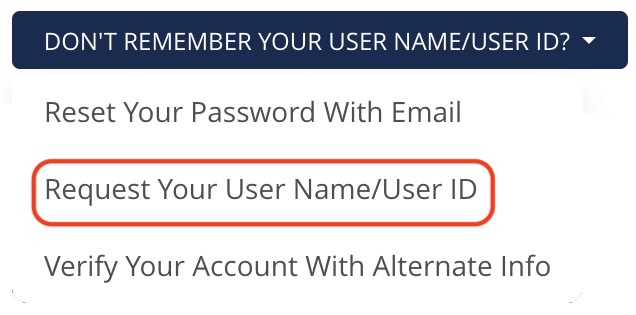
- On the Forgot Your User Name or Password? page, the Username method is selected by default. Below the Submit button, click the dropdown labeled Don't remember your User Name? and choose Request Your User Name.
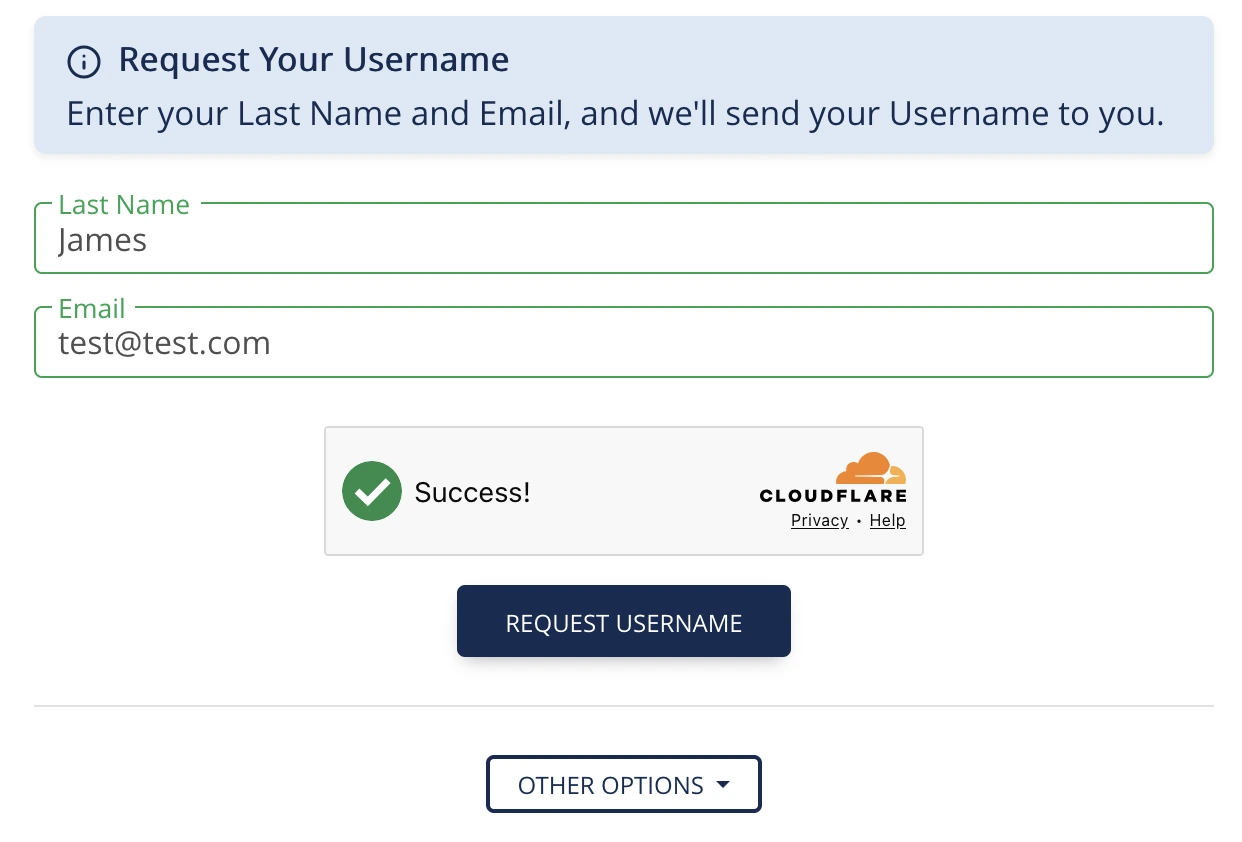
- The form will change to ask for your Last Name and Email. Fill in both fields exactly as they appear on your account.
- Complete the CAPTCHA challenge if one is shown.
- Click Request Username.
- If only one account matches, the system will email your username to that email address and return you to the sign-in page with a confirmation message that the email has been sent. Skip to step 8.
- If multiple accounts match (for example, family members on the same email address), you'll see a list of matching accounts with a partial name, email, and birth year. Click the radio button next to your account, then click Send Username to Selected Account.
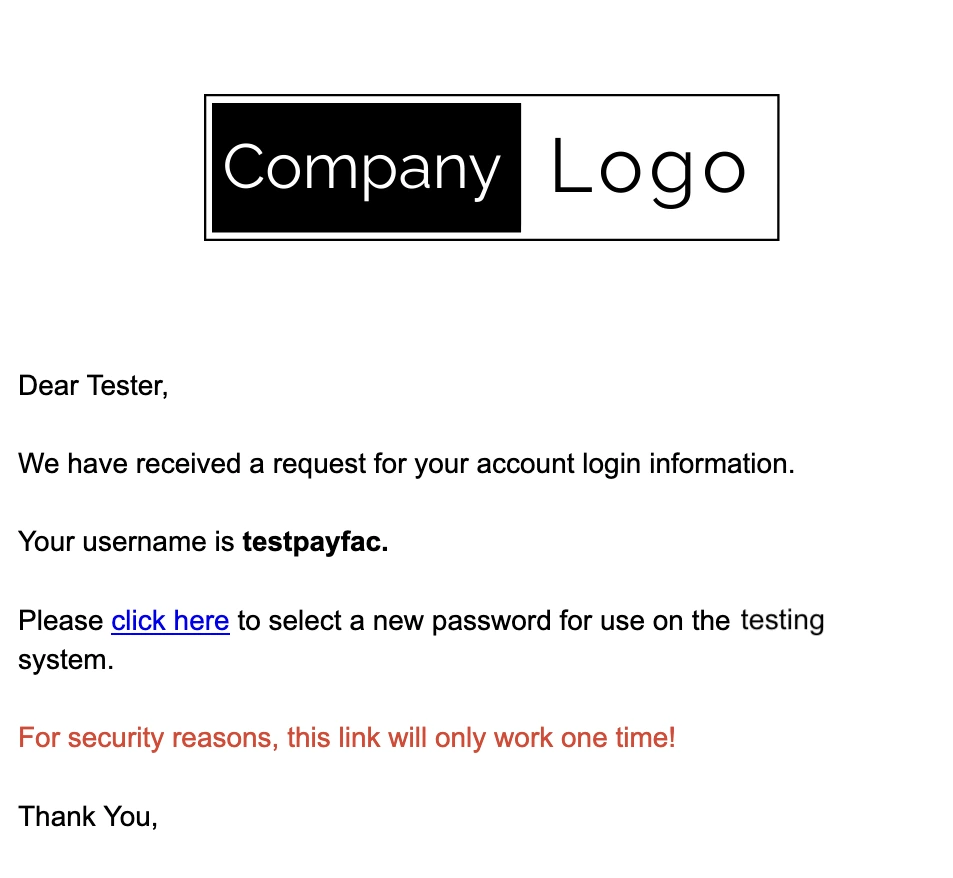
- Open your email. Look for a message that contains your username. If you don't see it within a few minutes, check your spam or junk folder.
- Return to the sign-in page and sign in using the username from the email. If you also need to reset your password, follow the article Reset your password using your username.
Common error messages and what they mean
- "No account found with this email address and last name combination." — The information you entered doesn't match any account. Double-check your spelling, try a different email address, or try the name and date of birth method.
- "No active username found for this account." — Your account doesn't have an active username right now. Please contact your national office.
- "Unable to send username — account information incomplete. Please contact your national office for further assistance." — Your account is missing information needed to send the username. Please contact your national office.
- "This is a managed account and cannot be logged into directly. You MUST log in using the managing user's account to manage this account." — This account is a managed account — it's linked to and controlled by another person's account, most commonly a parent's or guardian's account. Managed accounts are typically set up for minors or dependents so that one adult can manage memberships, registrations, and certifications for everyone in their household from a single login. Because of this link, the managed account cannot be logged into on its own. It has no independent login of its own to sign in with — it is always accessed through the account that manages it.